Gameplay
Sell Expensive Cards Within Customer Buying Power
Understand tcg card shop simulator customer buying power, check sales-table access, compare current card values and price expensive singles for buyers.
Updated
- Guides
- 39
- Topics
- 3
- On this page
- 6
Check buying power, price and access together
Customer buying-power ranges change with shop progression and expansion, while the chance of accepting your asking price is a separate consideration. To improve an expensive single's chance of selling, use an accessible Card Table and compare its asking price with the current value in TCG Price.
A fair price still needs an affordable buyer
Buying power describes the money available for a customer's purchase; price acceptance concerns whether they accept the listed offer. An expensive card can face an affordability limit even when its asking price is reasonable. Cutting an excessive markup addresses price acceptance, but it does not establish how much money a particular customer has.
Individual-card market values can differ between saves and change over time. Check the value in your own shop before copying another player's asking price. Use that current value as the starting point for your pricing decision.
Diagnose an expensive card that stays unsold
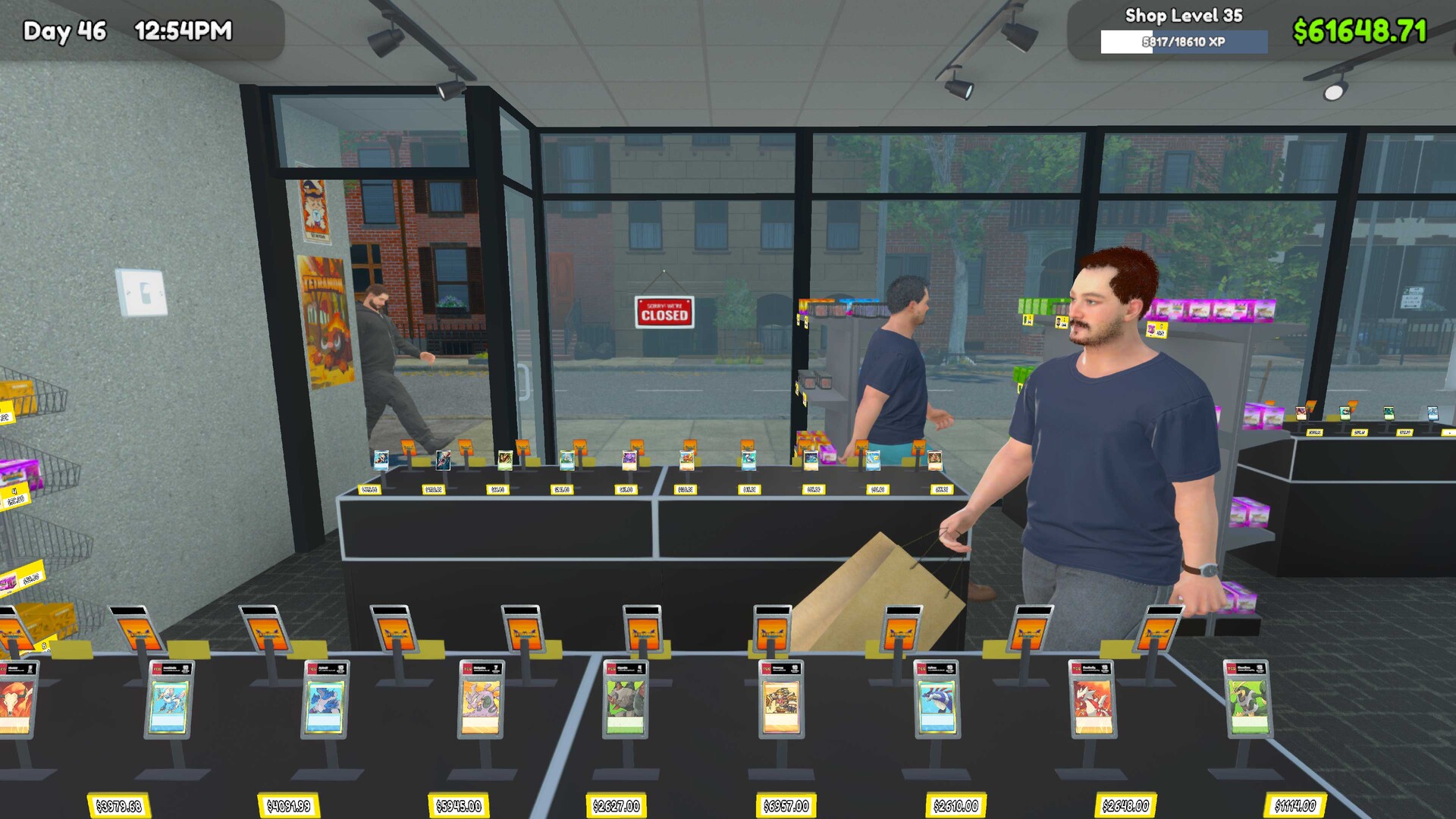
- Inspect the fixture holding the card and make sure it is a sales table rather than a display-only fixture, so you are checking stock offered for purchase.
- Check access to the Card Table's selling side and clear the route if needed, addressing a possible reachability problem before changing the price.
- Open TCG Price and compare the card's current value with your asking price, giving yourself a relevant reference for the listing.
- Reduce excessive markup toward the current market value to address a price that buyers may reject.
- Observe buyers again after checking access and pricing; if the card still stays unsold, keep affordability in mind as another possible limitation.
Match the problem to the useful next action
Work through the checks separately so you know what each adjustment is intended to address. A sale fixture, a reachable selling side and a reasonable asking price answer different parts of the problem. A card remaining unsold after those checks can still be limited by customer affordability.
| Situation | What to check | Useful next action |
|---|---|---|
| The card is on a display-only fixture. | Whether the card is actually offered for sale. | Use a Card Table for the single you want customers to buy. |
| The selling side of the Card Table is blocked. | Customer access to the selling side. | Make that side reachable before assessing the asking price. |
| The asking price carries excessive markup. | The asking price against TCG Price's current value. | Bring the asking price nearer current market value. |
| An accessible card near market value remains unsold. | Affordability as a possible remaining limit. | Observe further buyers without treating the result as proof of a fixed budget cap. |
Give a high-value listing more opportunities
Developing your shop and its available customer traffic may expose an expensive card to more potential buyers. Keep the selling table accessible and revisit the price as the card's market value changes. These actions can improve the opportunity for a purchase, but they do not guarantee that a particular customer can afford the card.
Decide whether you would prefer to keep waiting at your chosen price or make another adjustment. Keep a simple note of the asking price and layout changes you try so you can judge the result without changing everything at once. Use an actual purchase as the outcome you are working toward.
Use estimates without treating them as sales promises
Treat community price-acceptance estimates as guidance rather than guaranteed sales. Avoid choosing an expensive listing solely around a maximum-budget figure copied from elsewhere, since buying-power ranges change with shop progression and expansion. Keep checking your current card value, asking price and customer access when deciding what to try next.