Gameplay
Arrange Shelves, Checkout and Play Tables
Use this tcg card shop simulator shop layout guide to arrange shelves, checkout and play tables, keep restocking routes clear and diagnose customer bottlenecks.
Updated
- Guides
- 39
- Topics
- 3
- On this page
- 7
Build around the route through your shop
Arrange your shop around a clear route from the entrance to stocked selling shelves, then checkout and the exit, with play tables and restocking access kept clear of that route. Use the furniture comparison below to give each area the access and supplies its job requires.
Furniture and zone comparison
| Furniture or zone | Purpose and access requirements |
|---|---|
| Product shelves | Sell sealed goods. Keep the shelves stocked and their selling faces correctly oriented so customers can reach the products. |
| Card Table and Vintage Card Table | Sell individual cards. Keep the card slots accessible from the customer route. |
| Card Displays and Card Projectors | Present your protected collection. These do not provide direct customer sales, so use selling furniture for cards you want customers to buy. |
| Checkout Counter | Handles payment and the queue. Leave clear routes for customers and the cashier, including space for waiting shoppers. |
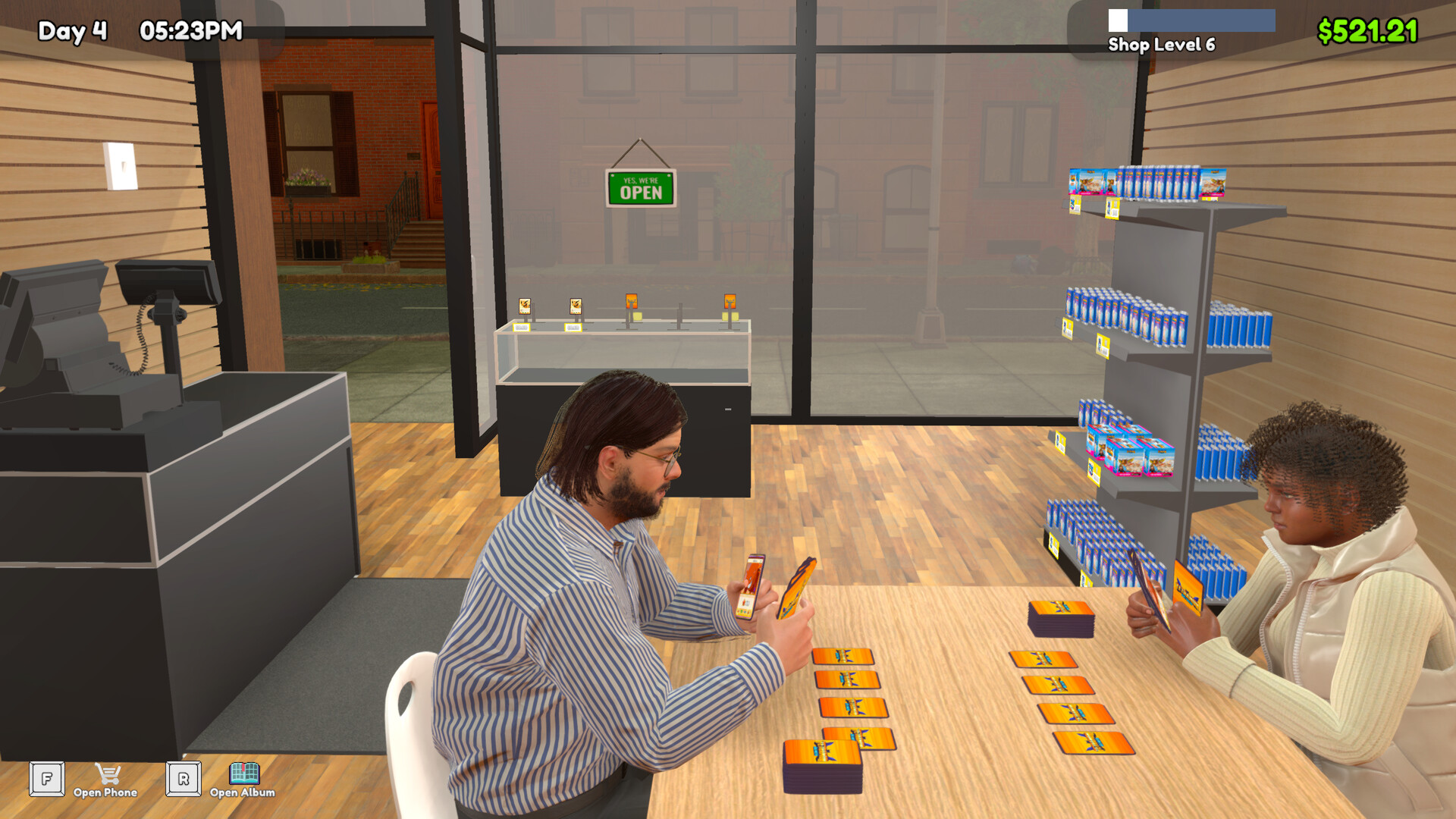
| Play Table | Supports paid sessions and NPC duels. Both seats need access; place the play area away from the main retail route. |
| Auto Scent | Removes odor. Supply Cleanser and position it for effective coverage. |
| Card Storage Shelf | Holds reserve single cards for staff. The Restock Card task is required for its stocking workflow. |
| Empty Box Storage | Stores empty delivery boxes. Treat it as box storage rather than sale inventory. |
| Pack Opener Machine | Converts packs into collectible cards. Supply packs and leave yourself access to collect the cards manually. |
| Tournament Prize Shelf | Holds event prizes. Plan it together with the tournament setup and numbered tables. |
| Shop Lot B | Adds floor or stock space. Keep its connections to the sales floor accessible. |
Arrange a small shop before expanding
- Establish the entrance-to-checkout route. Leave a clear path past the selling shelves and back to the exit so the shop has a usable retail route before you fill the remaining floor.
- Position the checkout queue beside that route. Keep waiting customers clear of the entrance, nearby shelves and chairs so payment does not obstruct access to other areas.
- Add short side aisles to your Card Tables. Keep their selling slots reachable so shoppers can browse individual cards without placing the tables across the main route.
- Place Play Tables away from the main shopping path. Leave access to both seats so the play area can function without occupying the route used for retail traffic.
- Reserve a clear route for restocking. Keep movement between matching stock and selling shelves open for employees carrying boxes so the sales floor remains practical to supply.
- Expand when stock volume or persistent congestion requires more room. Observe traffic in the enlarged space before adding furniture so you can see whether the extra room resolves the original problem.
Choose furniture for the job you need
Decide whether the next addition is meant to sell products, show your collection, support play or help you handle stock. Card Tables sell single cards, while Card Displays and Card Projectors serve collection presentation. Keep that distinction in mind when deciding which pieces deserve space beside the shopping route.
Give support furniture a practical place in your own routine. Keep the Pack Opener Machine reachable for manual collection, and plan the Card Storage Shelf around the staff task that uses it. If you use Shop Lot B for stock, preserve the connection back to the selling area instead of treating the added floor as an isolated storage corner.
Trace a checkout queue to its cause
When a queue forms, check whether the register is staffed and whether waiting customers are blocking shelves, chairs or the entrance. Watch where the obstruction begins before moving nearby furniture. This separates a checkout staffing problem from a route that needs more room.
Observe a normal period with the furniture left in place so you can identify the actual bottleneck. If the queue crosses an access route, adjust that conflict and watch the same area again. Treat buying more furniture or hiring extra help as a later decision, after you understand what is stopping movement.
Check shelves that are unreachable or stay empty
If customers cannot buy from a stocked area, inspect the customer-facing side and confirm that the furniture is intended for selling. A collection display has a different purpose from a Card Table, even when both contain cards. Correct the selling orientation or furniture choice before assuming the shop needs more floor space.
If a selling shelf stays empty, check its labels, reachable matching stock and the assigned restock task. Check those requirements before hiring more employees, because the staffing decision should follow the supply problem you actually find. For reserve single cards on a Card Storage Shelf, include Restock Card in that check.
Retest the area you changed
- Watch the affected route without rearranging the shop again. A normal period of traffic gives you a clearer view of whether the queue or access problem remains.
- Follow the route from stock to the affected selling shelf. Check matching goods, labels and task assignment along the way so a supply issue does not get mistaken for a need to expand.
- Use the result to choose the next change. Add floor space for persistent congestion or stock needs, then test traffic before filling the newly available area.